Users
The Users page allows administrators to view, create, and manage user accounts across the ResTrack Lite platform.
This includes assigning roles, checking activity, and maintaining access control for both web and mobile users.
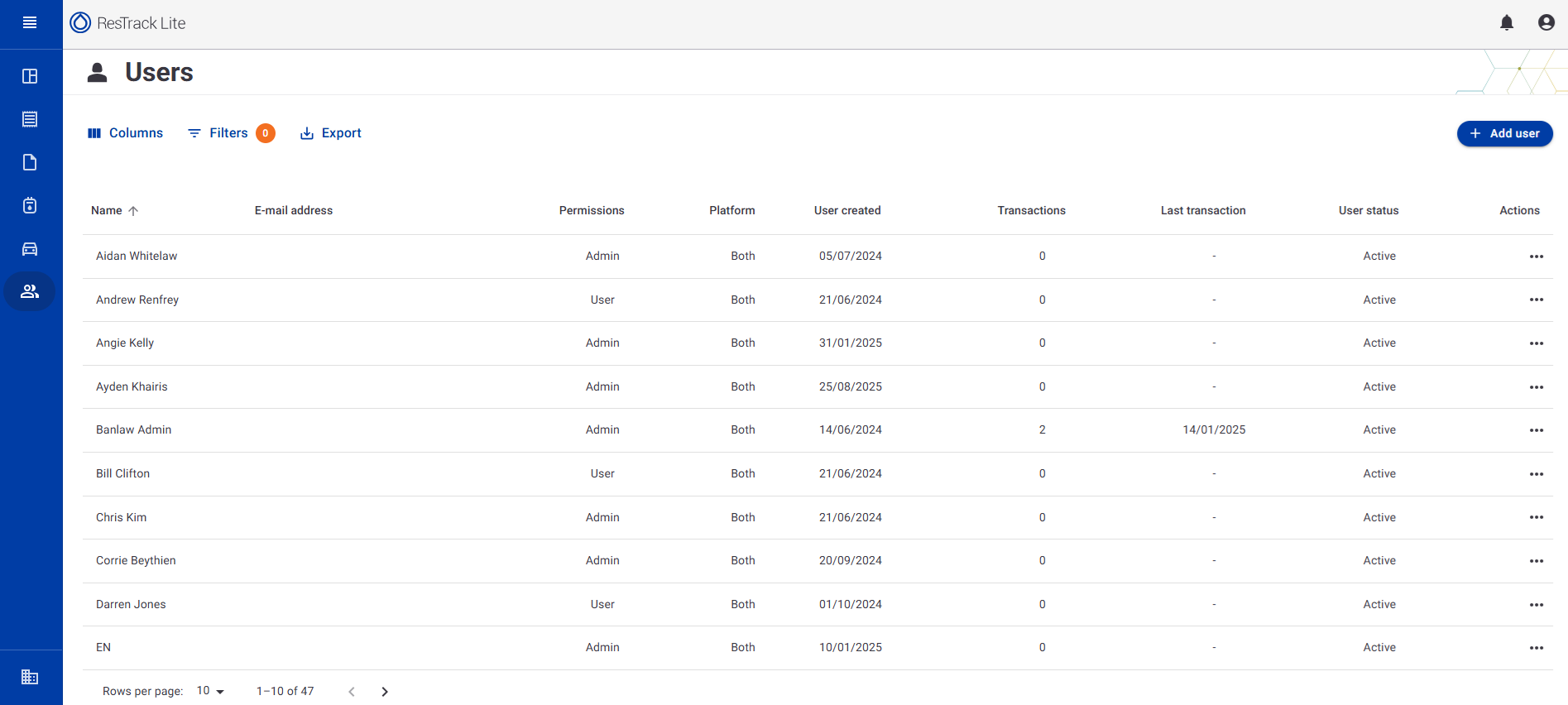
Overview
The Users table displays all existing user accounts in the system along with their key details.
Each row corresponds to a single user and includes the following columns:
| Column | Description |
|---|---|
| Name | The full name of the user. Clicking on the name (if enabled) may open a user detail view. |
| E-mail address | The registered email address used for login and communication. |
| Permissions | Defines the user's role within the system — either Admin or User. |
| Platform | Specifies which ResTrack Lite platforms the user can access (e.g., Both, Web only, or Mobile only). |
| User created | The date the account was created in the system. |
| Transactions | The number of fuel or resource transactions associated with this user. |
| Last transaction | Displays the date of the user's most recent transaction. If none, this field shows a dash (-). |
| User status | Indicates whether the account is currently Active or Inactive. |
| Actions | A contextual menu (⋯) providing management options such as View, Edit, Deactivate, or Delete. |
Add a New User
To create a new user account:
- Click the + Add user button in the top right corner.
- Enter the required details:
- Name
- Email address
- Permissions (Admin/User)
- Platform access (Both/Web/Mobile)
- Click Save to create the account.
New users will appear immediately in the list once saved.
Filters and Export
At the top of the Users page, you can use additional tools to refine and export data:
- Columns – Toggle visibility of specific columns to focus on relevant information.
- Filters – Apply filters (e.g. role type, status, or platform) to narrow down the list.
- Export – Export the user list to CSV or Excel for offline reporting or analysis.
User Roles
| Role | Description |
|---|---|
| Admin | Has full access to system features, including user management and data configuration. |
| User | Can access operational features such as reporting and data entry, but cannot modify system settings. |
Best Practices
- Regularly review active users to maintain security.
- Deactivate unused accounts rather than deleting them for audit traceability.
- Ensure each Admin user uses a unique login and does not share credentials.
Last updated: 7/7/2026