Register your organisation
Congratulations on the purchase of your ResTrack Lite fuel management system!
Start off with registering your organization account, which enables you to get full access to both mobile and web applications, and to configure your system further. You will need to have your controller in front of you, as you'll need its serial number to create an account.
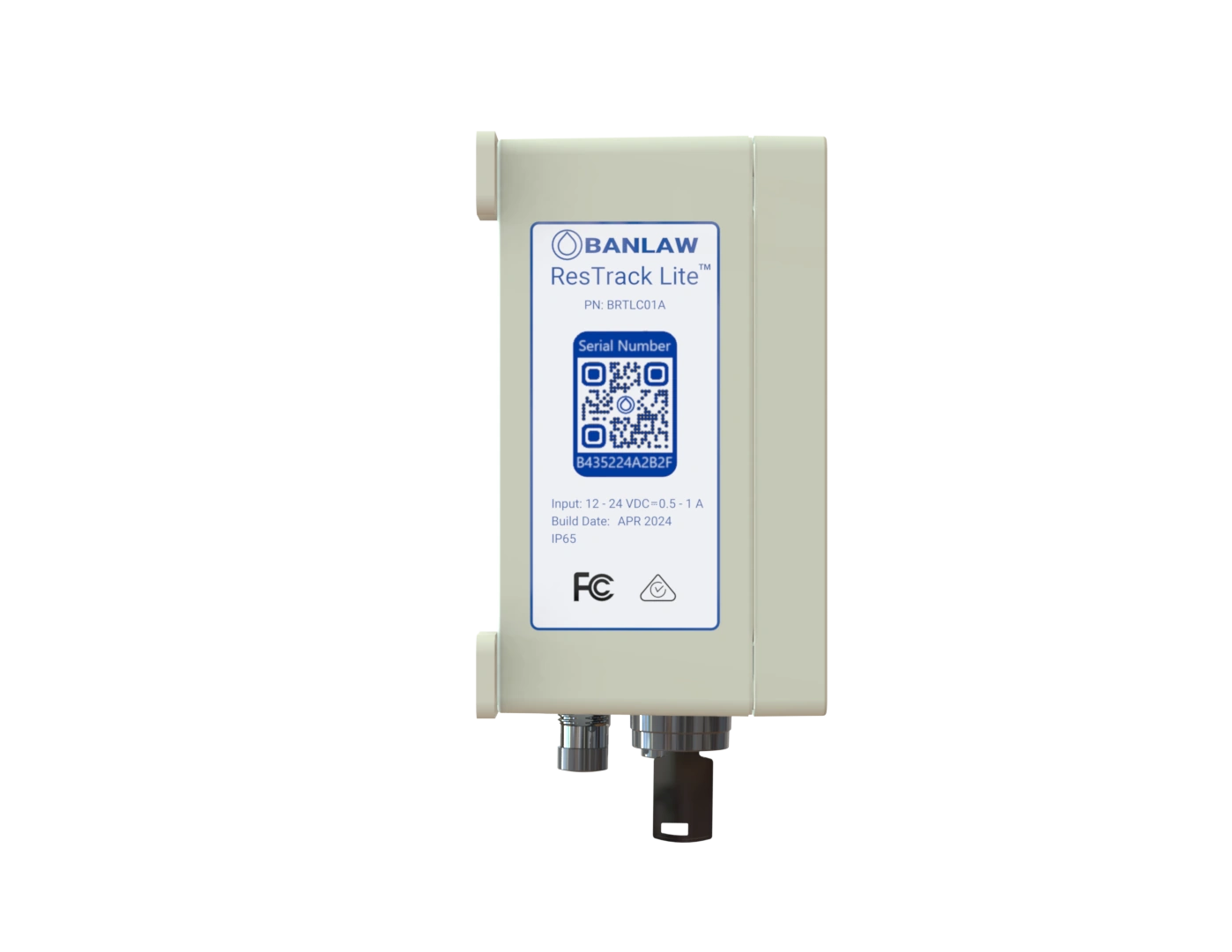
Locate your controller serial number on the side sticker, underneath the QR code:
On ResTrack Lite Web Portal sign-in page, click Create your account button to initiate account creation flow, that will take you through a pre-defined sequence of actions that are needed to completely configure your ResTrack Lite software:
Follow the steps as shown in the Create account flow to:
- Create your account and subscribe to ResTrack Lite paid subscription
- Setup your controllers and hardware (more on this in the Hardware section)
- Configure controllers and vehicles
- Download and log into mobile app
- Setup user permissions for web and mobile apps
You will need to provide payment details to complete the organization creation flow. At this point, your payment method will be charged full cost of the selected subscription option (monthly or annual)